Get started with TidyFile
Download TidyFile for Windows and start automatically organizing your files in the background. Set your rules once and let TidyFile handle the repetitive work.

Your files stay private
Organize files locally on your own computer.
Fast and lightweight
Keep your file organization simple and efficient.
Easy to get started
Create rules to organize files around your workflow.
Get started
From download to
organized in minutes.
TidyFile is designed to stay out of your way. Set up your rules once and let the app handle the repetitive work from there.
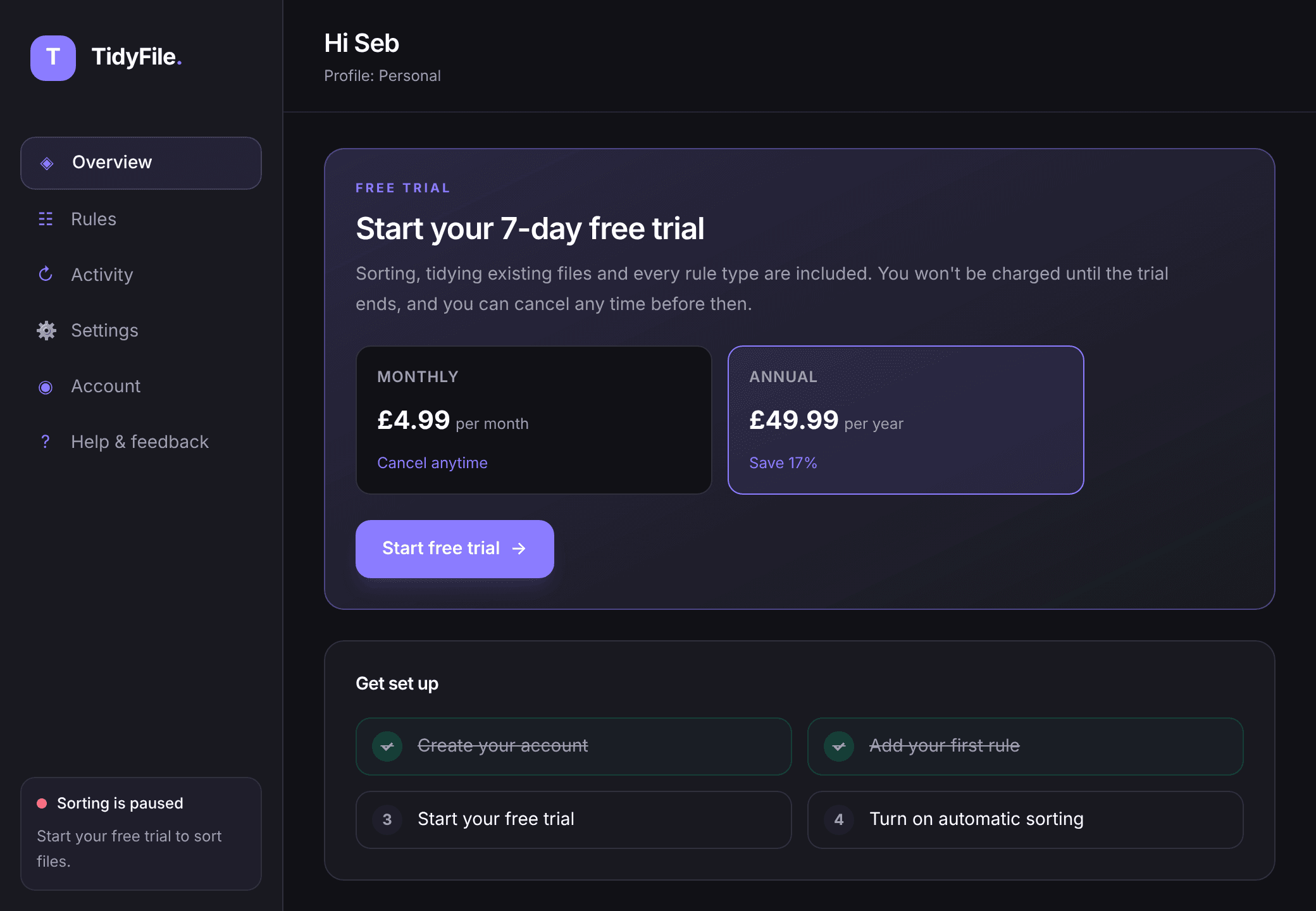
Install and start your trial
Install TidyFile, create your account and start a free trial right inside the app.
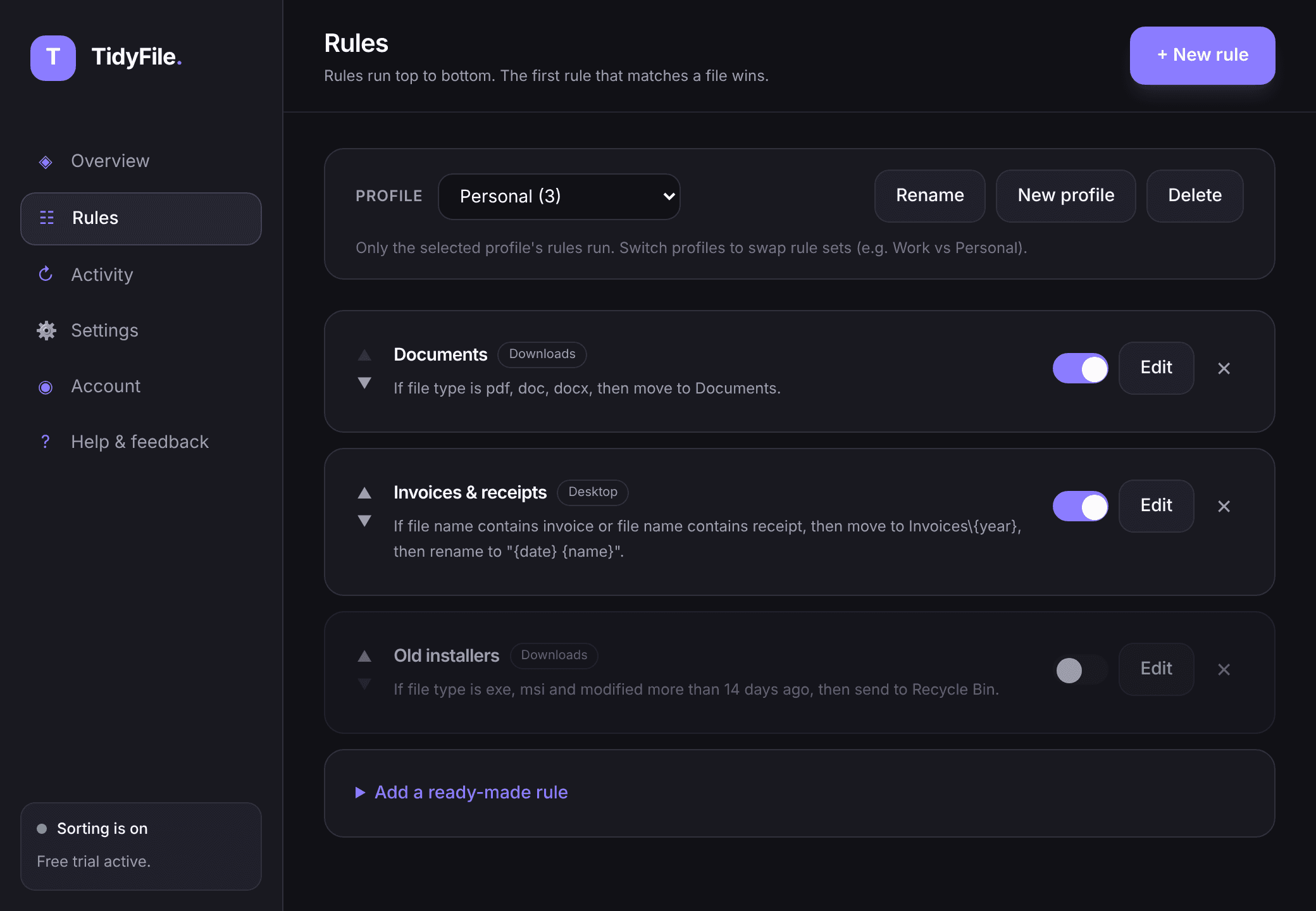
Create your rules
Pick a ready-made rule or build your own, then preview and tidy the files you already have.
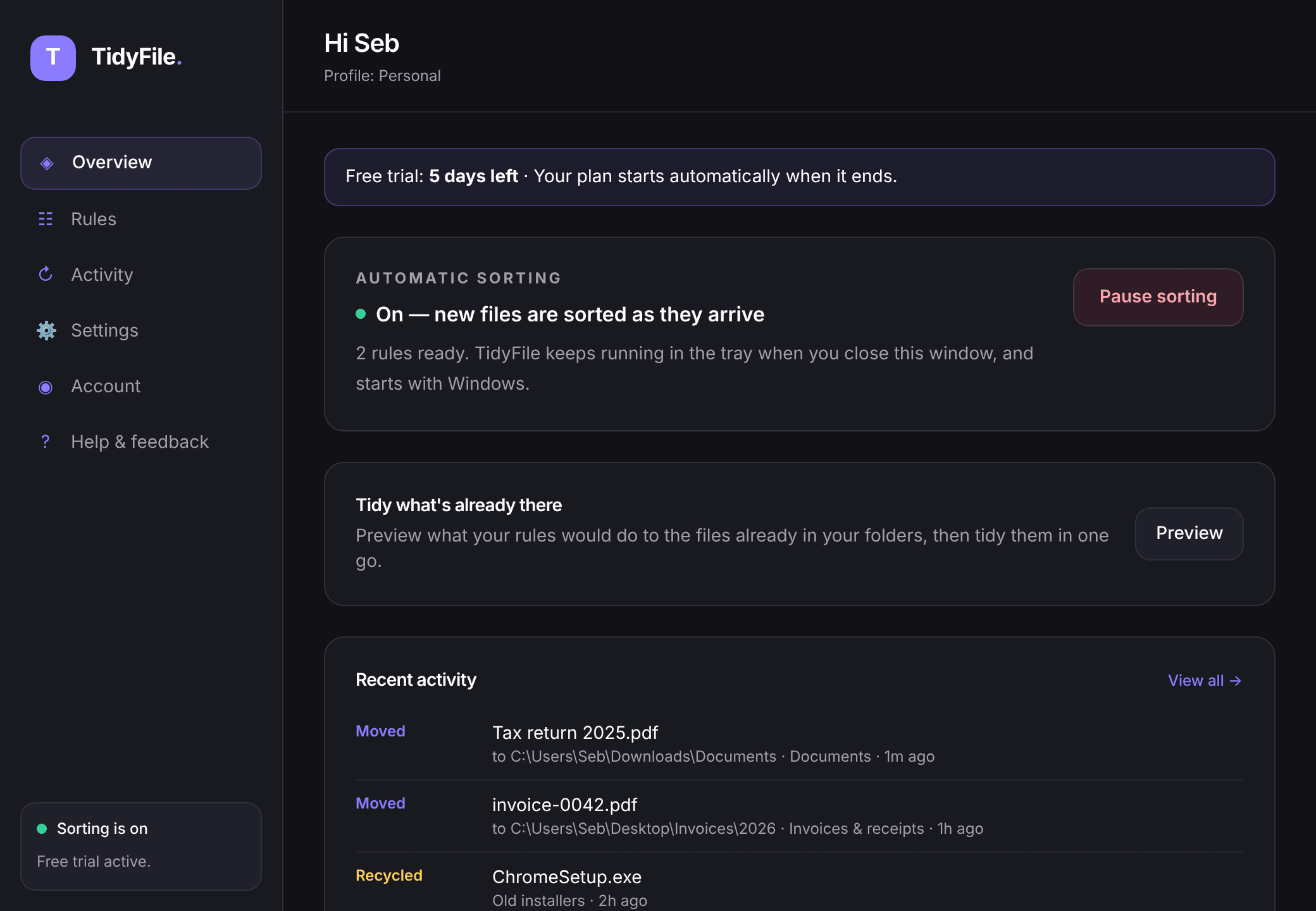
Let it work
TidyFile runs quietly in the background and automatically sorts new files for you.
FAQ
Questions before you download?
What does TidyFile do?+
TidyFile is a Windows app that automatically organizes your files. You create rules, such as moving every PDF into a Documents folder or recycling installers older than 30 days, and TidyFile applies them in the background so you never have to tidy up manually.
Is there a free trial?+
Yes. Every new account gets a 7-day free trial, started from inside the app. No card is needed. If you'd like to keep TidyFile, add a card before the trial ends; if not, it simply stops sorting and you're never charged.
How much does TidyFile cost?+
After the free trial, TidyFile Standard costs £4.99 per month or £49.99 per year (in the US, $4.99 per month or $49.99 per year). You can cancel at any time.
What can my rules do?+
Rules can match files by type, name, size, or how old they are, combining conditions with AND or OR. They can move files to any folder (including date-based folders), rename them, add a tag to the name, or send them to the Recycle Bin. You can watch Downloads or any other folder, and keep separate rule sets as profiles.
What happens to the files I already have?+
Use "Tidy existing files" to see a preview of exactly what will move before anything happens. Every change appears in the activity log and moves and renames can be undone.
Do my files get uploaded anywhere?+
No. All file processing happens locally on your computer. Your files never leave your computer.
Does TidyFile need to stay open?+
No. TidyFile starts when you sign in and lives in the system tray, so it keeps organizing new files without you having to open it. You can turn this off in Settings.
How do I cancel my subscription?+
Open Account in the TidyFile app and choose Manage subscription, or use the Manage subscription link on the pricing page. You can cancel or switch between monthly and annual at any time.
Already subscribed? Manage your subscription.